
Current owner signal
Osmo's current product page displays 4.6/5 from 13,713 ratings. The page surfaces verified Amazon-review examples alongside that signal, so treat it as an Osmo-page commerce signal rather than a NextGenBabyPlay rating.
How Osmo actually works
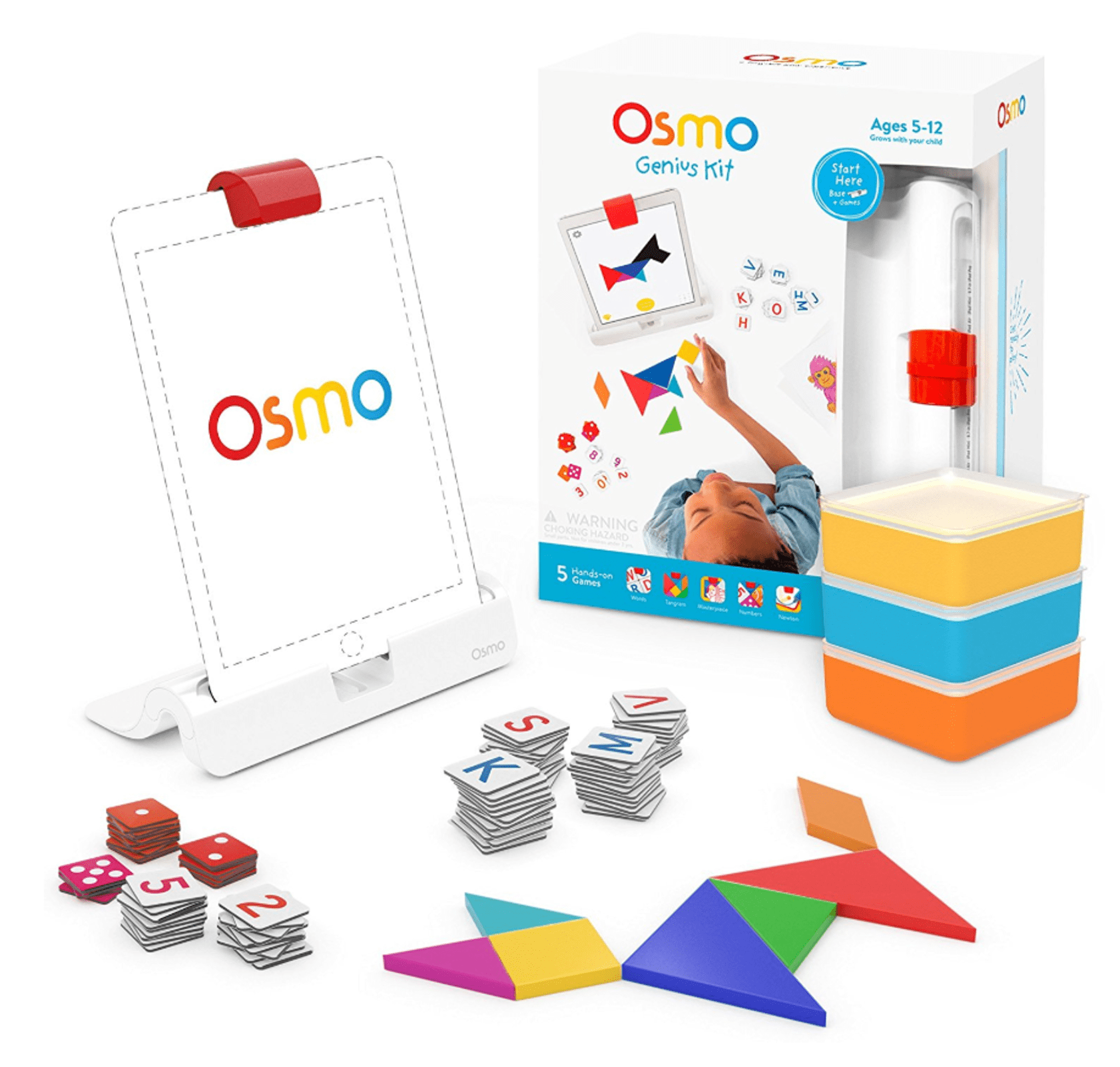
The child places an iPad in the Osmo Base and positions the reflector over the camera. The system then watches the physical play area while the child moves number tiles, letter tiles, Tangram pieces or drawings. That is why Osmo feels different from a conventional educational app: the screen reacts to physical actions on the table.
Five games or seven?
The 5-game Genius kit currently includes Tangram, Numbers, Words, Newton and Masterpiece. The 7-game Family Game Night bundle adds Math Buzz and Lettertopia for $8 more at the current direct-site pricing. Families who expect regular shared play get the better value from seven; a single learner can start with the five core games.
What children actually practice
Numbers targets counting and arithmetic, Words targets spelling/vocabulary, Tangram develops spatial reasoning, Newton uses physics-style problem solving, and Masterpiece supports drawing. The educational advantage comes from manipulating pieces and seeing immediate feedback rather than watching explanations passively.
Strengths
- Physical pieces keep hands involved during tablet learning
- Five distinct core games cover math, language, spatial reasoning and creativity
- No subscription is currently required
- Osmo says the games can play without Wi-Fi and support is active in 2026
Tradeoffs
- A compatible iPad is mandatory and not included
- Still creates screen time even though play is hands-on
- Loose number, letter and Tangram pieces require storage
- Compatibility can become a long-term hardware constraint
Compatibility is the first buying check
Osmo currently says Genius works with most iPads running iPadOS 15 or later, but excludes iPad generations 1–4, iPad Air 1st generation and iPad mini generations 1–3. Use Osmo's live compatibility checker with the exact model before buying, especially second-hand.
Osmo vs. screen-free learning
Choose Osmo when the family already owns a compatible iPad and wants physical manipulation paired with adaptive digital feedback. Choose screen-free STEM when reducing device dependence is the priority. The physical pieces improve the quality of the screen interaction; they do not remove the screen.
Safety and setup
Keep the iPad stable in the base, manage the device and charging setup as an adult, store loose pieces away from younger siblings and set session limits that fit your family's screen-time goals. Check exact device compatibility before purchase rather than assuming any iPad will work.
Verdict
Osmo Genius remains relevant in 2026 because the platform is actively supported and still does something most learning apps do not: it makes the child manipulate real objects to drive what happens on screen. At $57.99–$65.99 it can be good value if a compatible iPad is already in the home; without one, the true cost is much higher.